WordPress core
Security fixes applied promptlySecurity patches are applied within days of release. Large version upgrades are held back until the plugins your site leans on have caught up.

Website Maintenance
Updates, backups, security and quick content changes for Thunder Bay websites, so hours, notices and forms stay right through storm days, fire season and everything in between.

Business in Thunder Bay, Ontario follows a strong seasonal rhythm. Winter delivers 162.9 cm of snow in an average year, and searches like “thunder bay snowfall school closures” jump whenever a storm comes through. Summer brings fire bans and forest fire updates, with suggestions such as “shuniah fire ban” and “thunder bay forest fire evacuation”. Any of those days can change your hours, the area you can reach, or what you can safely offer.
When plans change, many customers check your website before they ring. A short notice across the top of the page, posted that same day, spares them a wasted trip and spares your staff a flood of calls. A site still showing summer hours in February, or last year’s fair dates in August, tells people nobody is looking after it.
Behind the pages sits software that ages. WordPress is really three layers, the core, the theme and the plugins, each written by different people and updated whenever their authors decide. Ignore them through a long winter and something usually cracks: a booking calendar that stops loading on phones, or an inquiry form that cheerfully says “thank you” while the message disappears. Regular care finds both before customers do.
Search demand
There are no Thunder Bay suggestions about website upkeep itself. These Google.ca suggestions from October 2026 mark the moments when a stale page, or a broken form, lets a customer down.
Customers, not owners, tend to be the ones who discover a broken website, and by that point the repair comes after weeks of lost inquiries. Routine care catches problems sooner, while they are cheaper and easier to schedule. Thunder Bay sites also get a same-day notice routine: if snow, a fire ban or a power outage alters your plans, message us and we post a clear notice on the site as fast as we can.
Quiet failures
Any one of these can sit unnoticed for a season while the front page looks perfectly healthy.
Seasonal hours, a holiday closure or a storm notice left in place long after it applied. Visitors read it as a sign the business is careless or shut, and they move on.
The visitor sees a thank-you message, yet the inquiry is filtered as junk or bounced by the mail server, and nobody knows. Routing mail through a dedicated sending service, then testing it monthly, ends the mystery.
A change to a plugin or to WordPress itself can stop a booking calendar loading on phones. People at a desk never notice; customers on mobile simply give up.
The original developer is gone, nobody has the hosting login, and renewal reminders land in a dead inbox. We track down every account and put it back in your name.
An old plugin lets someone slip in pages or links that search engines see and visitors do not. Rankings sag while the site looks perfectly normal from the front.
Parts that need care
Each part of a site updates on its own timetable and breaks in its own way, so each one gets a routine of its own.
Security patches are applied within days of release. Large version upgrades are held back until the plugins your site leans on have caught up.
Where most crashes and hacks begin. Inactive plugins are deleted outright, since a deactivated one can still be attacked.
Your host runs a PHP version that grows stale: slower first, then unsupported, then upgraded by the host on a date of its choosing. We plan that move with you instead.
Seldom touched, but if one lapses your website and your email can stop at the same moment. We note who owns each, where it sits, and when it renews.
The work
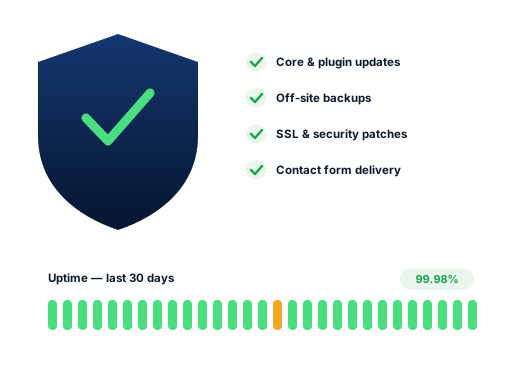
Updates to core, theme and plugins run on a set schedule. A backup comes first; a look at the main pages on a phone comes after.
Your files and database copied to storage that does not live with your host, and restored as a test every so often so we know the copies are good.
Malware scans, login protection, old user accounts cleared out, and urgent patches applied when a plugin flaw is made public.
An automatic check visits the site every few minutes and warns a real person if it stops responding.
Once a month a test message goes through each form and booking tool, and we confirm it arrives where it should.
New hours, a storm or fire-season notice, a seasonal price list, a new face on the team: send it over and it goes live.
Done carefully
Standards we apply to every account, set out here so you can check us against them.
Your hosting, your domain and your admin login stay with you. We work through an account of our own, which you can remove whenever you like.
Caring for your site is not the same as owning it, and we never confuse the two. Ordinary upkeep comes inside the monthly plans. If a site has fallen far behind, or has already been broken into, it needs a catch-up job first, and you get a price for that before we begin.
Ask us about your business
How we work
From a first look at your listing to a short monthly report you can read over coffee.
We study your site and Business Profile, then test where you surface from several corners of Thunder Bay.
Together we settle on the searches that matter and tie each to one page or one listing change.
Profile, site, content and directory fixes, beginning with whatever should shift results soonest.
Each month you see the calls, messages and positions we tracked, plus what we will tackle next.
Questions
Upkeep is built into every monthly plan: Starter, Growth and Pro at $300, $500 and $700 in CAD, month to month. Sites left to slide, or hacked, need a one-off catch-up first, priced after we have inspected them.
Yes. Tell us what is happening and a plain notice goes across the top of the site as quickly as we can manage it, along with a nudge to change your Google hours too. Once you are back to normal, it comes off again.
Yes. Give us your seasonal changes in advance and we update the site, and the opening hours in its structured data, on the dates you set, so nobody has to remember each spring and autumn.
In most cases. First we take stock: what the site is built on, which plugins it runs, whose names the domain and hosting sit under, and what is insecure or outdated. A plan and a catch-up price follow from that.
It is treated as a one-time repair. We strip out the injected code, close the gap that let it in, restore clean files where possible, and ask Google to review the site if it has been flagged.
No. The host invoices you and the account remains in your name, so control stays with you. If your current host disappoints, we can recommend a dependable alternative and manage the switch alongside you.
Further reading
More on this topic, written for business owners in Thunder Bay.
Any of these can be taken on its own; many clients begin with just one.
Every trade is searched in its own way here, so every page is researched separately.
Ask for a free audit: where you show up on the north side and the south side, who sits ahead of you, and which fixes to make first.
Ask for my free audit